Straight to the question.
Ask about your economy, fleet, or next move. Companion brings the relevant campaign context so you can get straight to the question.
First contact · ChatGPT meets Stellaris
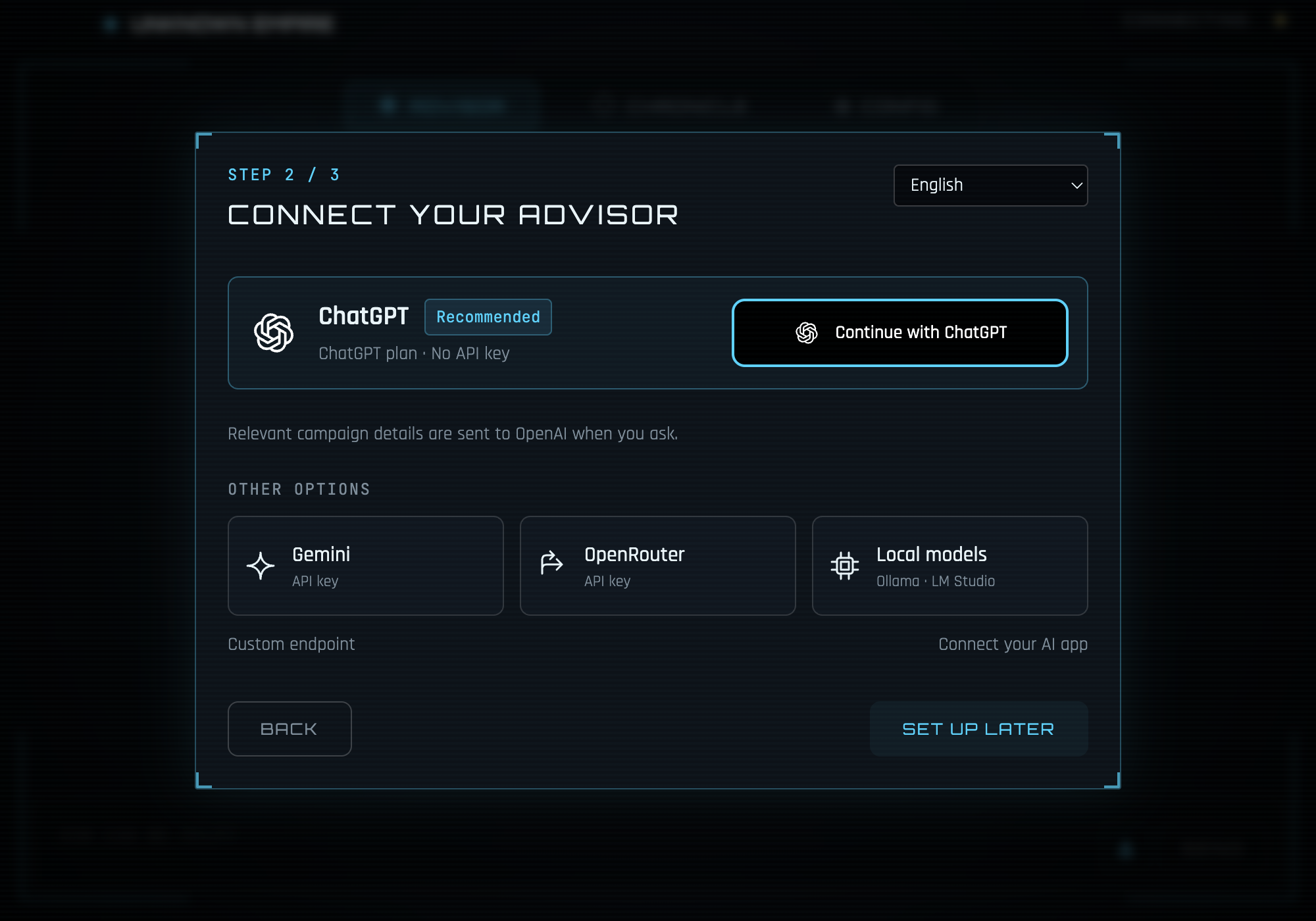
Bring your ChatGPT account to Stellaris Companion. Ask about your economy, plan your next move, and give your empire a historian. No lengthy briefing required. The council has enough meetings already.
Available in 1.1.0. No OpenAI API key. ChatGPT account availability and usage limits apply.
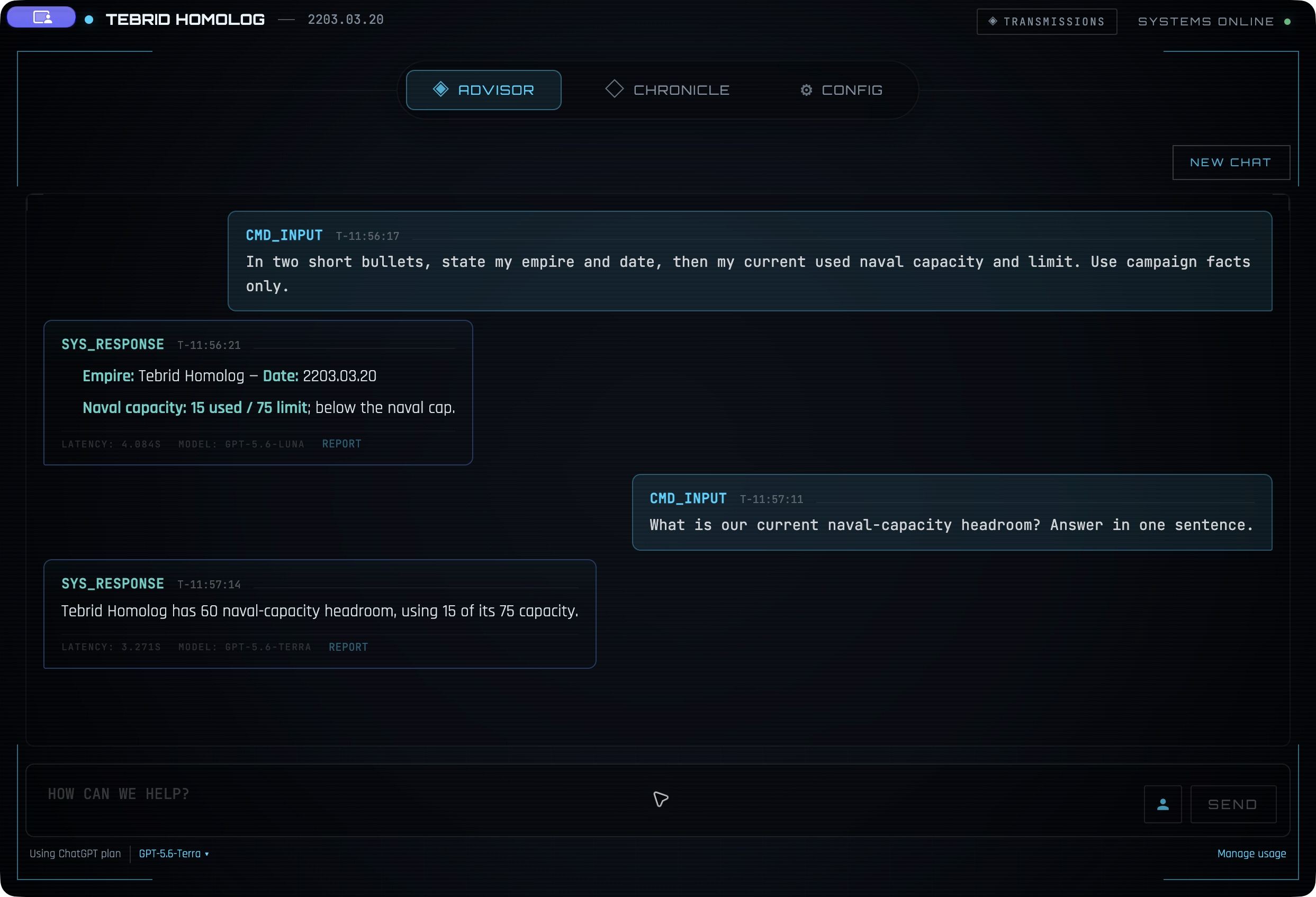
The galactic help desk is open
Ask about your economy, fleet, or next move. Companion brings the relevant campaign context so you can get straight to the question.
Use your ChatGPT connection for the Chronicle too. Turn campaign events into a running history in your empire’s voice.
Start with the recommended model, choose a lower-usage option, or try another available model. Your choice stays saved.
Your council’s newest appointment
Already set up? Open Config → Chat in Companion → ChatGPT. Full setup guide →
Your first questions
Copy a question into the in-app Advisor after your campaign has loaded.
What is causing my energy deficit, and what should I change first?
How much naval capacity do I have left, and what should I check before my next war?
What should I focus on over the next ten years of this campaign?
Want a specific briefing? Try the economy guide or fleet readiness guide.
Yes. Stellaris Companion 1.1.0 connects your ChatGPT account to the Advisor and Chronicle inside the app. Companion reads your local save and provides campaign context when you ask a question.
No. Choose Continue with ChatGPT and sign in through your browser. The connection uses your ChatGPT plan. Account availability and plan usage limits apply.
Yes. Advisor answers and Chronicle generation use your ChatGPT plan allowance. Companion starts with a recommended model; you can choose a lower-usage option or another available model and open your usage information from the app.
No. Your raw save stays on your computer. Companion sends your question and relevant extracted campaign context to OpenAI to generate an answer or Chronicle. It does not access your existing ChatGPT conversations.
Yes. Gemini, OpenRouter, Ollama, LM Studio, and compatible local servers remain available. Choose the connection that suits you.
Stellaris Companion is an independent, open-source desktop app with a ChatGPT sign-in connection. It is not an official Paradox or OpenAI product. You do not need to install a ChatGPT plugin to use the in-app Advisor.
Data flow explained · Prefer an external AI app? Explore local MCP
Appointment approved
Stellaris Companion 1.1.0 · Free and open source. Your ChatGPT plan’s availability and usage limits apply.
Windows may show a SmartScreen warning. Installation help.